
If you searched for praxis score report, you are probably trying to locate one page, understand a result, or check whether a score can be used for a professional requirement. The most useful way to read the report is to separate three questions: Where is the record posted? What information does it contain? Which organization decides whether that information satisfies its rule?
ETS says the official score report is posted in your Praxis account on the Score Reports page on the score reporting date. ETS also gives timing language that depends on the test and delivery method, so a general promise about a fixed number of days is not a safe shortcut. For current Speech-Language Pathology Praxis 5331 candidates, the report should be read alongside the requirements of the state, agency, or certifying authority that will use it.
This guide explains what to verify, how to interpret timing, where pass/no-pass information fits, and how to reconcile the report with a state or agency checklist. It does not determine an individual credential decision or turn a practice result into a reported score.
Table of Contents
- What a Praxis score report shows
- Where ETS says the score report appears
- Praxis score report timing
- Pass/no-pass context and professional requirements
- Original example: reconciling a report
- Using content-category performance for study planning
- Common traps
- Quick review checklist
- Source links used for this guide
What a Praxis score report shows
At a basic level, a score report is a record of a test result, not a study estimate. ETS’s current score-reporting guidance describes the test-taker score report as also called a Designated Institution Score Report when it is sent to institutions or agencies selected during registration. That naming difference matters because the same underlying result can be viewed by the learner and by a designated recipient in different administrative settings.
ETS lists the test taker’s name, score or scores, pass/not passed score information for recipients designated at registration, background and educational information, and detailed content-category performance. Each field answers a different question. The name helps confirm identity, the score identifies the reported result, and content-category details can guide review after the result is available.
| Report element | What to verify | What not to infer from it alone |
|---|---|---|
| Test taker name | That the record belongs to the correct account holder. | That every document connected to the account uses the same pathway. |
| Score or scores | That the displayed result is connected to the intended test. | That the number is a raw question count, practice percentage, or universal threshold. |
| Pass/not passed information | Which designated recipient or qualifying context the status relates to. | That one status settles every state, agency, or certification requirement. |
| Content-category performance | Which areas may deserve targeted review. | That one category line is a separate credential, clinical judgment, or diagnosis. |
| Background and educational information | Whether profile details are accurate for the intended record. | That profile data replaces an application, transcript, or other required document. |
A practical reading order is to identify the candidate, identify the test, read the score, then inspect the recipient and status context. Only after those checks should you use detailed performance information for study planning. This keeps a descriptive field from being treated as a decision that belongs to another organization.
Also separate the report from three nearby terms. The Score Reports page is the account location. The score reporting date is the date ETS assigns through its current timing system. The score itself is the reported result. A learner can be looking at the right account page while still needing to confirm whether the report is pending, available, unofficial, or connected to the intended recipient.
Where ETS says the score report appears
ETS gives the primary location plainly on its test-taker page: the official score report is posted in the Praxis account, in the Score Reports page, on the score reporting date. ETS also says an email will notify the learner when the report is available. The account is therefore the central place to verify the record rather than relying on a screenshot, forwarded message, or search snippet.
The current instructions describe several delivery surfaces, and they should not be treated as interchangeable proof:
- Praxis account: Open the Score Reports page and read the record attached to the account. ETS also points learners to a pending score reports card when checking an estimated reporting date.
- Institutions and agencies: ETS sends score information to institutions or agencies selected during registration. Their receipt and processing steps can occur separately from the account view.
- Automatic state reporting: ETS notes that scores are sent automatically in a state that uses automatic score reporting. That transmission does not show that an application or agency review is complete.
- Saved account copy: ETS recommends downloading available online scores for future reference. Save the report with the access date and pathway being checked.
When you open the account, begin with the page containing the report rather than stopping at a registration confirmation or email subject line. A notification tells you to look; it does not supply the context needed for a state or agency reconciliation. If the report is not visible, follow the current ETS support instructions and ask the receiving organization about its processing status when relevant.
Use this access sequence when the result should be available:
- Sign in to the Praxis account used for registration.
- Open the Score Reports page, not only the registration or scheduling screen.
- Check the pending or available report area and read the test identity and date.
- Open or download the report so the score, status context, and detailed performance fields can be reviewed together.
- Save the report with the date you accessed it and the recipient or pathway you are checking.
Praxis score report timing: how to read ETS language
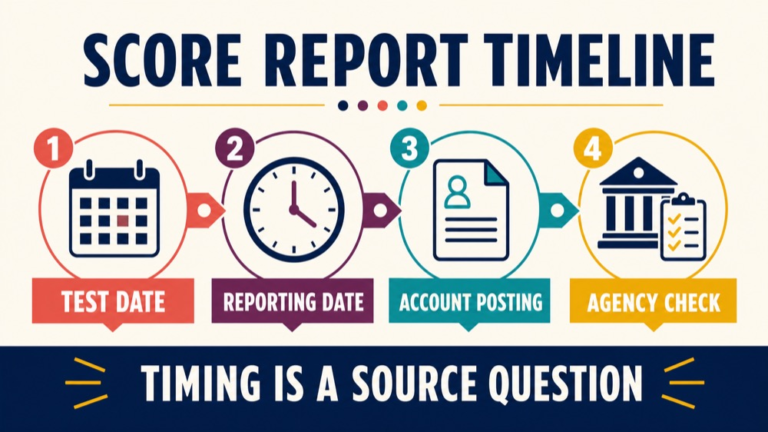
Timing is where score-report searches can become overconfident. ETS’s current guidance does not provide one universal release interval for every test taker. It says the official report will be posted on the score reporting date, and that date varies based on test type and delivery method, including at-home testing versus a test center.
ETS directs learners to a score reporting calendar that uses the test and day of testing. Its separate score-date tool uses conditional language: after a learner selects a test and date, it states that the report will be available in the Praxis account after 5 p.m. Eastern Time on the displayed report date. Read that as an output for selected inputs, not a blanket promise that every report appears at the same hour or after the same number of days.
The test-taker page also notes that Praxis reports scores on Tuesdays and Fridays. If a holiday falls on one of those days, ETS says the report moves to the following Tuesday or Friday. This is useful scheduling guidance, but the current calendar and account remain the right places to check an individual report. Do not build a deadline around a generic date copied from another test or testing mode.
The current Speech-Language Pathology 5331 page identifies the test as computer-delivered and selected-response. ETS’s general score guidance says selected-response-only tests may offer an opportunity to view an unofficial score at the end of the testing session. That preliminary screen is separate from the later account report. If an unofficial score is not provided, ETS says further analysis may be needed and that its absence does not indicate a problem with administration or a delay in the official report.
- Counting calendar days: Use the test-specific reporting calendar rather than a generic interval from a friend or forum.
- Mixing delivery methods: An at-home date and a test-center date may not use the same reporting line.
- Confusing email with posting: The notice is helpful, but the report is found in the Praxis account Score Reports page.
- Reading a pending card as a result: Pending means the report is not yet available in the account; it is not a pass/no-pass decision.
- Equating unofficial and official: An end-of-session result, when offered, is preliminary and should not replace the report used for verification.
- Assuming every pending item appears: ETS notes that cancelled or held tests do not appear in the Pending Scores section, so check the current support path instead of inferring a result.
The safest timing sentence is conditional: check the current ETS calendar for the exact test, date, and delivery method, then verify the report in the account when the reporting date arrives. This gives the learner useful planning information without promising a release date that may not apply.
Pass/no-pass context and professional requirements
A pass/no-pass field answers a narrower question than many learners expect. It describes how the reported score relates to a qualifying score in the recipient or pathway context described by ETS. ETS states that passing scores are not set by ETS and vary by state or agency, and it provides a comparison tool for selecting the relevant state or agency and test.
That distinction matters for Speech-Language Pathology Praxis 5331 because the current ETS test page says the test is used in more than one professional setting. ETS describes it as one of several requirements for the Certificate of Clinical Competence issued by ASHA, and it also says the test is used by state boards and state agencies that license speech-language pathologists for school settings. The page directs examinees to the authority or state or local agency from which certification or licensure is sought.
| Question | Who or what can answer it | What to record |
|---|---|---|
| Where is my report posted? | ETS’s current test-taker account instructions. | Score Reports page, report status, and access date. |
| What score or status is shown? | The report connected to the learner account and designated recipients. | Test identity, score or scores, and pass/not passed context. |
| What qualifying score applies? | The named state, agency, or certifying authority. | Jurisdiction, test code, current threshold, and effective context. |
| Is the pathway complete? | The organization reviewing the complete application or credential file. | Documentation, application, transmission, and remaining requirements. |
A report can show a score and a pass/not passed status without settling every question about a license, certificate, school credential, employment file, or agency onboarding process. A passing status is meaningful only when the recipient, test, and current rule line up. The report is evidence to reconcile, not a substitute for the receiving authority’s checklist.
Original example: reconciling a report with a state or agency
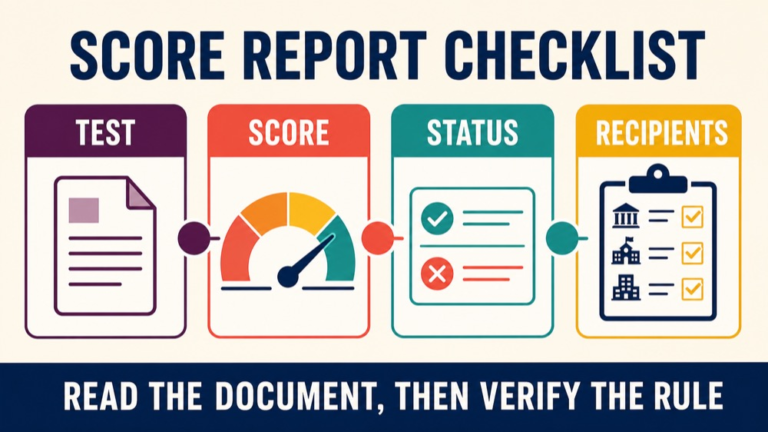
Consider Maya, a fictional SLP candidate who opens a new report in her Praxis account. She sees her name, a score, detailed content-category performance, and a pass/not passed line associated with a recipient selected during registration. Maya is preparing both a state licensure file and a school-agency application, so she does not treat one screenshot as proof that both processes are finished.
Maya uses this reconciliation sequence:
- Lock the identity. Record the test name, Speech-Language Pathology 5331 code, testing date, and report date.
- Name the pathway. Keep a separate line for the state licensure file and school-agency file because they may request the result through different procedures.
- Check the current rule. Open the ETS state or agency comparison tool and the responsible organization’s instructions. Record the qualifying-score language and effective context.
- Match the result. Compare the report score with the rule for the exact test code and pathway. Do not substitute a number from another jurisdiction, test, or old handbook.
- Verify transmission. Check the selected recipient, any additional report requirement, and the organization’s receipt or processing step.
- Check the rest of the file. Read application, documentation, fee, background, or supervised-practice instructions outside the score report, then save the report, source URLs, and access dates.
This original administrative example is not a score prediction. Maya needs the exact test identity, receiving pathway, and current evidence from the organization that will use the result. If two sources conflict, the responsible authority should resolve the conflict before she relies on either number.
Using content-category performance for study planning
Detailed content-category performance can be useful after the administrative checks are complete. It gives a learner a structured way to decide what to revisit, but it should be read as performance feedback rather than as a separate pass/fail exam. The report can guide preparation choices; it does not replace a course of study, source review, or credentialing decision.
- Locate patterns: Mark categories that are lower, uncertain, or inconsistent with your practice record.
- Separate causes: Ask whether the issue was missing knowledge, misreading, pacing, uncertainty between choices, or a careless response.
- Return to a source: Relearn the concept from a trustworthy study source rather than memorizing a category label.
- Write a transferable rule: State the distinction or decision rule you want to recognize in a new scenario.
- Recheck with new practice content: See whether the rule transfers beyond the report wording.
- Keep records separate: Store the score report as test-result evidence and the practice log as preparation evidence.
For example, a learner may notice that category performance and practice errors both point toward review of clinical decision-making. The useful response is to examine the reasoning behind missed items, review the concept, and test the rule again. It is not to reverse-engineer a score conversion or treat one category line as a measure of professional competence.
Common traps when reading a Praxis score report
Most confusion comes from moving a statement from one context into another. Check these traps before you email a result or mark a credential task complete:
- Trap 1: Treating the email as the report. The email is a notification. Open the account and review the report fields and status context.
- Trap 2: Treating the score date as a guaranteed release moment. ETS uses a test-specific calendar and conditional timing language.
- Trap 3: Treating an unofficial score as the final record. An end-of-session screen, when available, is preliminary.
- Trap 4: Treating pass as a universal credential decision. The qualifying rule belongs to the state, agency, or certifying authority, and other requirements can remain.
- Trap 5: Treating content-category performance as a separate cutoff. Detailed performance can guide review, but a category line is not a stand-alone credential or clinical conclusion.
- Trap 6: Mixing test codes. Confirm Speech-Language Pathology 5331 before comparing the report with a requirement.
- Trap 7: Relying on an old screenshot. Score pages, delivery options, report fields, and agency rules can change.
- Trap 8: Assuming one recipient’s status covers every recipient. A state, employer, school agency, and certifying body can have different receipt or review processes.
When a trap appears, write the unresolved question in plain language. For example: Is this status tied to the state agency I am applying to, or only to a recipient selected at registration? A precise question is easier for ETS or the responsible organization to answer than a cropped screenshot.
Quick review checklist
Before relying on a Praxis score report for registration, certification, licensure, employment, or an agency file, confirm each item:
- Open the report from the Praxis account Score Reports page.
- Confirm the name and Speech-Language Pathology 5331 test identity.
- Record the score or scores exactly as displayed.
- Read pass/not passed information with its designated-recipient or qualifying context.
- Review content-category performance separately from the credential decision.
- Check the ETS score reporting date and the conditions used to calculate it.
- Identify the state, agency, certifying authority, or other recipient that will use the result.
- Verify the current qualifying-score or receipt rule for that pathway.
- Check application, documentation, transmission, and other requirements outside the report.
- Save the report, source URLs, access date, and any clarification you receive.
The short version is simple: find the report in the account, verify what each field means, read timing as conditional, and match the result to the organization that will use it. A score report documents an important test result, but the complete professional pathway is determined by the current requirements of the responsible authority.
If you want a structured next step for organizing ongoing preparation, you can review the SLP Study Center Complete Prep page and decide whether it fits your plan. The product page is a study-resource option; ETS and the relevant state, agency, or certifying authority remain the sources for score and pathway decisions.
Source links used for this guide
The following first-party pages were checked for this article. Reopen them before publication or before a time-sensitive score, registration, certification, licensure, or agency decision because page content and requirements can change.
- ETS: Getting your Scores for account location, timing variation, score calendar, and unofficial-score guidance.
- ETS: Score Reporting for report fields, recipient context, and qualifying-score explanation.
- ETS: Getting Your Praxis Scores for the conditional after-5-p.m.-ET score-date language.
- ETS: Passing Score Requirements for state and agency variation.
- ETS: Speech-Language Pathology 5331 for current test identity and pathway context.